Dashboard
Open /auditor (configurable with dashboard.path / dashboard.domain).
Access
Auditor::auth(fn (Request $request) => ...)when set;- otherwise the
viewAuditorgate, when defined; - otherwise only in the
localenvironment.
Everyone else gets a 403 page. In local it explains how to define the gate.
Pages
- Overview — stat cards with sparklines, activity chart, recent entries, denied abilities, most active users and most changed models. Every number links to a filtered list.
- Entries — filters kept in the URL, presets, saved views, hideable columns, quick peek drawer, live mode and CSV export.
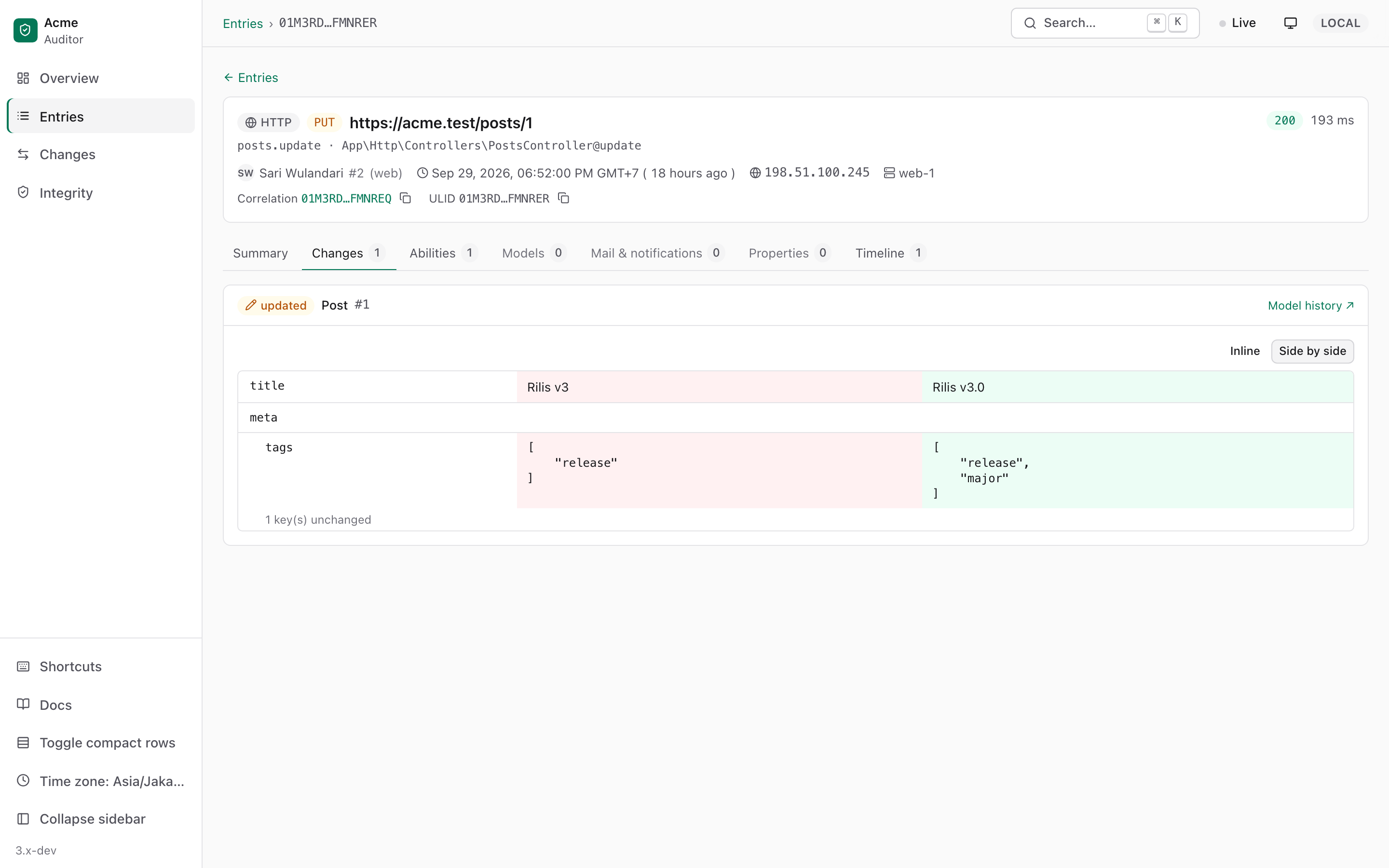
- Entry detail — metadata, diff viewer (inline or side by side), abilities, models read, mails & notifications, properties and the correlation timeline.
- Changes and Model history — every change of one record over time.
- Integrity — seal status, last verification and checkpoints.
Keyboard
| Keys | Action |
|---|---|
| ⌘ K | Command palette (search ULIDs, Post#12, user:5, route:name) |
| g then o / e / c / i | Overview / Entries / Changes / Integrity |
| / | Focus the filter |
| j / k | Move between rows |
| Enter / Space | Open / quick peek |
| t · l | Toggle theme · live mode |
| ? | Show all shortcuts |
Customising
php
'dashboard' => [
    'theme' => 'system',        // system | light | dark
    'accent' => '#6366f1',      // null = emerald
    'brand' => ['name' => 'Acme', 'logo' => '/img/logo.svg'],
    'poll_interval' => 5,       // live mode; 0 disables
    'timezone' => null,         // null = browser time zone
],
Show your own user names and avatars:
php
Auditor::displayUserUsing(fn ($user) => ['name' => $user->name, 'avatar' => $user->avatar_url]);Translations (en, id) and views can be published with the auditor-lang and auditor-views tags.
Content Security Policy
The dashboard uses the CSP build of Alpine.js and no inline scripts, so it runs under script-src 'self' 'nonce-…' without unsafe-eval or unsafe-inline. If your app generates a nonce, pass it along:
php
Auditor::useNonce(fn () => Vite::cspNonce());